DIY Color Analysis Tool vs Photo Draping Studio vs Professional Tool: Which One Is Right for You?
DIY Color Analysis Tool vs Photo Draping Studio vs Professional Tool: Which One Is Right for You?
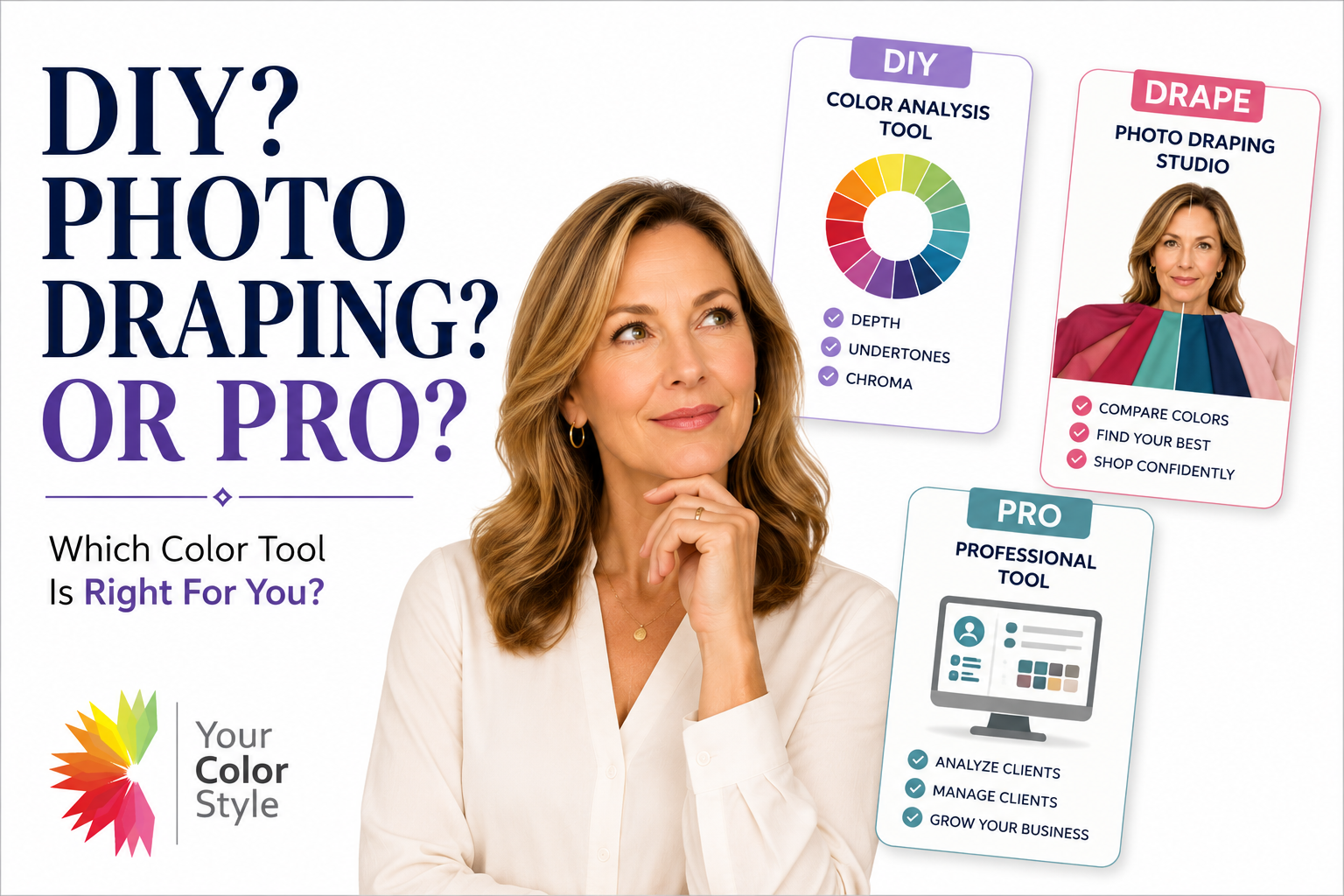
One of the most common questions we receive is: "What is the difference between the DIY Color Analysis Tool, the Photo Draping Studio, and the Professional Color Analysis Tool?"
At first glance they look similar because all three allow you to upload photos and work with color. But they were designed for completely different purposes.
The Quick Answer
The easiest way to understand the difference is this:
DIY Color Analysis Tool
Helps you discover your color palette.
Photo Draping Studio
Helps you use and explore your color palette.
Professional Color Analysis Tool
Helps professionals analyze clients and manage color analysis projects.
What Is the DIY Color Analysis Tool?
The DIY Color Analysis Tool allows you to perform your own color analysis using the same methodology used by Your Color Style analysts.
You'll work through the three steps of the Your Color Style system:
- Determine your depth
- Determine your undertones
- Determine your chroma
The tool guides you through structured draping exercises and comparisons so you can identify your most harmonious palette.
Best For:
- People who do not know their color palette yet
- DIY learners
- Color enthusiasts
- People who enjoy learning color theory
Think of the DIY Tool as the "discovery" tool.
What Is the Photo Draping Studio?
The Photo Draping Studio is designed for people who already have a digital color palette.
Instead of helping you determine your palette, it helps you use your palette more effectively.
You can upload your photo and virtually drape yourself in your purchased colors.
- Compare colors side by side
- Explore your best neutrals
- Favorite colors you love
- Compare multiple palettes
- Edit your wardrobe with confidence
- Shop more effectively
If you've already determined your palette, the Photo Draping Studio helps you get more value from it.
Want to learn more about virtual draping and how it helps you compare colors, test neutrals, and shop more confidently? Read: What Is Virtual Color Draping and How Does It Work?
Think of the Photo Draping Studio as the "application" tool.
Can You Use Both?
Absolutely.
Many customers start with the DIY Color Analysis Tool to determine their palette.
Once they know their palette, they purchase the Digital Color Palette and continue exploring their colors inside the Photo Draping Studio.
The tools complement each other beautifully.
What Is the Professional Color Analysis Tool?
The Professional Tool includes the same analysis workflow used in the DIY version, but adds professional-level capabilities.
Professional Features Include:
- Client management
- Multiple client profiles
- Ongoing project access
- Professional workflow tools
- Training support
- Subscription access for analysts
This is the same system used by trained Your Color Style analysts and students enrolled in our Color Analysis Training program.
Think of the Professional Tool as the "business" tool.
Which Tool Should You Choose?
Choose the DIY Color Analysis Tool if:
- You don't know your palette yet
- You want to determine your own colors
- You enjoy learning color theory
Choose the Photo Draping Studio if:
- You already have a digital color palette
- You want to compare colors visually
- You want help shopping and editing your wardrobe
Choose the Professional Tool if:
- You want to analyze clients professionally
- You are enrolled in training
- You need client management tools
Final Thoughts
All three tools were built to solve different problems.
The DIY Tool helps you discover your palette. The Photo Draping Studio helps you use your palette. The Professional Tool helps analysts serve clients.
Understanding that distinction makes choosing the right tool much easier.
Ready to Explore Your Colors?
Whether you're discovering your palette for the first time or learning how to use it more effectively, Your Color Style has a tool designed to help.